
ecl-logo Documentation

AnalyzeFlowCytometry

AnalyzeFlowCytometry[dataObjects]analysisObject

uses clustering analysis to partition the flow cytometry data in dataObjects into clusters of cells, and records the partitioning and cell counts in analysisObject.

AnalyzeFlowCytometry[flowCytometryProtocol]analysisObjects

uses clustering analysis to partition and count the cells in each flow cytometry data object generated by flowCytometryProtocol, and stores the results in analysisObjects.

Details

  • AnalyzeFlowCytometry uses AnalyzeClusters to partition datapoints into different clusters for labeling and counting.
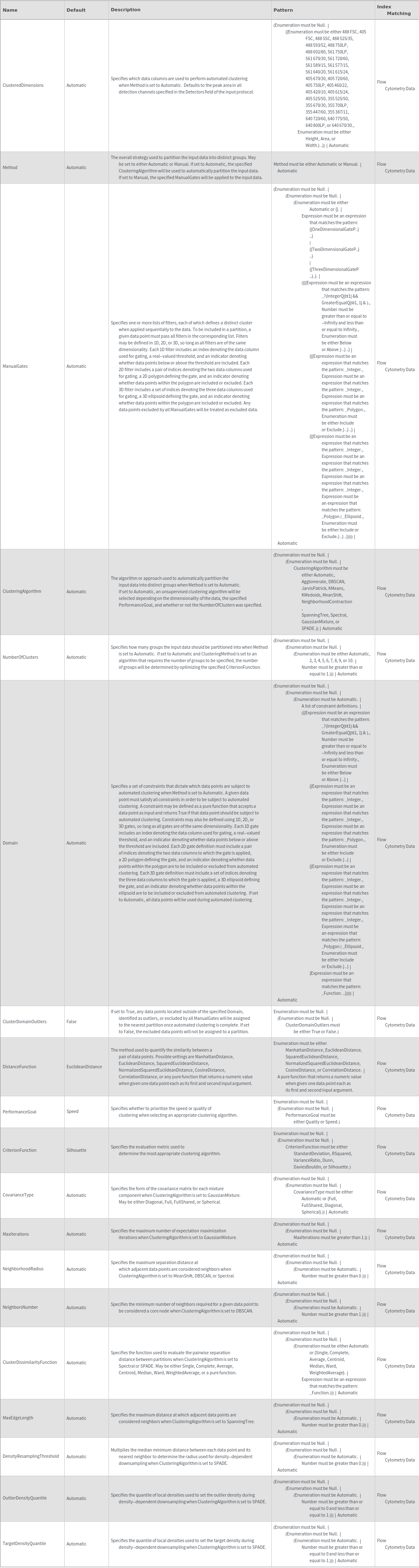
  • Set Method to Automatic to use automatic clustering, or Manual to label clusters using manually drawn gates.
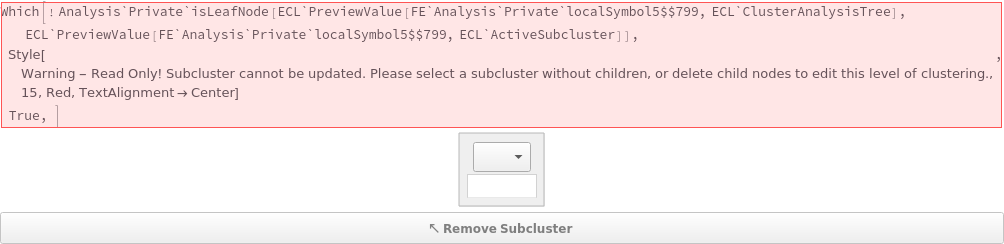
  • Clustering methods may be mixed-and-matched using subcluster analysis in the AnalyzeFlowCytometry preview app, which utilizes the ClusterAnalysisTree and ActiveSubcluster options to select data to analyze.
  • See the documentation page for AnalyzeClusters for additional examples.
  • Input
    Output
    Data Annotation Options
    Data Preprocessing Options

    Data Processing Options

    Methodology Options
    Organizational Information Options

    Subclusters Options

    Method Options
Examples

Basic Examples  (2)

Partition data points in a flow cytometry data object using clustering analysis:

Partition data in each data object from a flow cytometry protocol:

Additional Examples  (3)

Interactive Preview App  (3)

Set Method->Manual and click on the 1D and 2D projection tabs to perform interactive clustering with thresholds and polygonal gates:

Set the clustering method, algorithm, and other options from the option selector. The interactive app will show automatically identified clusters. By default, AnalyzeFlowCytometry will cluster using peak areas from all detectors for which data is available:

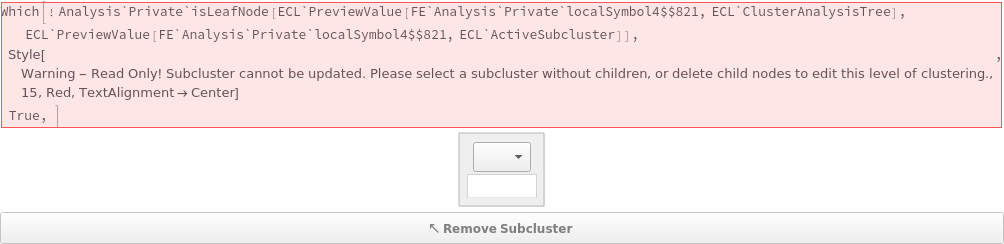
Use the interactive AnalyzeFlowCytometry preview app to set options for the analysis. To access all interactive features, please load AnalyzeFlowCytometry in the command builder. By default, the projection selector is shown first - Press the [Update Grid] button to generate a multi-dimensional display of flow cytometry data. The default dimensions in the projection selector are automatically chosen to maximize cluster variance:


Options  (16)

ActiveSubcluster  (1)

This option is used to track current subcluster in nested analysis, and is automatically set by command builder preview (should not be set manually). This option takes a subcluster/node name in the clustering analysis graph:

ClusterAnalysisTree  (1)

This option is used to track level in subclustering analysis, and is automatically set by the command builder preview (should not be set manually). Input is a graph where each node is a cluster label, and each node weight is an object reference for a clustering analysis packet:

ClusterAssignments  (2)

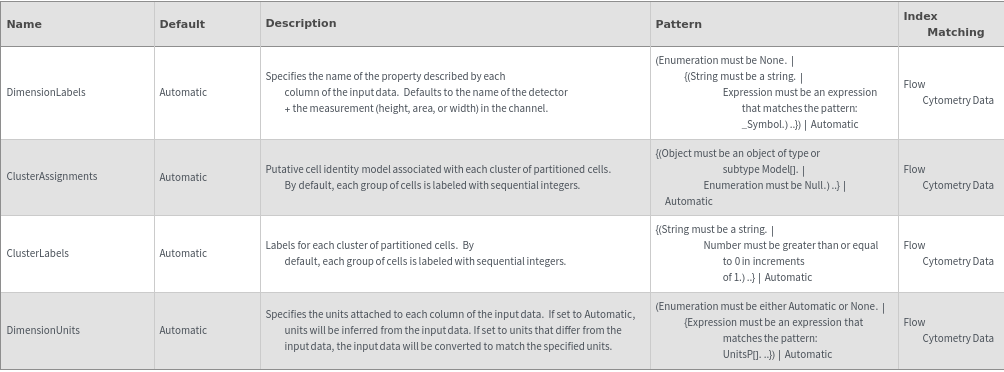
Assign a cell identity model to each cluster of cells identified in the analysis:

If no ClusterAssignments are specified, then assignments will default to Null:

ClusteredDimensions  (1)

Specify which dimensions of data (as a {detector,peak measurement} pair) should be considered while clustering. If not specified, all dimensions will be used in the analysis:

ClusterLabels  (2)

Provide a label for each cluster of data points identified in the input data:

If no ClusterLabels are provided, then clusters will be labeled as "Group x" where x are sequential integers:

CompensationMatrix  (2)

Use a compensation matrix, calculated using AnalyzeCompensationMatrix, to compensate for signal spillover between detection channels in the input flow cytometry data:

Specify that a compensation matrix should not be used by setting the CompensationMatrix option to None:

DimensionLabels  (2)

By default, dimensions are labeled by their detector, and then either an "A", "W", or "H" denoting a peak area, width, or height measured by that detector:

Override default dimension labels by supplying a list of new names. This must match the number of dimensions in the input data:

Name  (1)

Supply a name for the resulting analysis object:

Normalize  (2)

By default, flow cytometry data is normalized by rescaling data so it fits within the interval [0,1] for clustering:

Set normalize to False to cluster on original data points:

Template  (2)

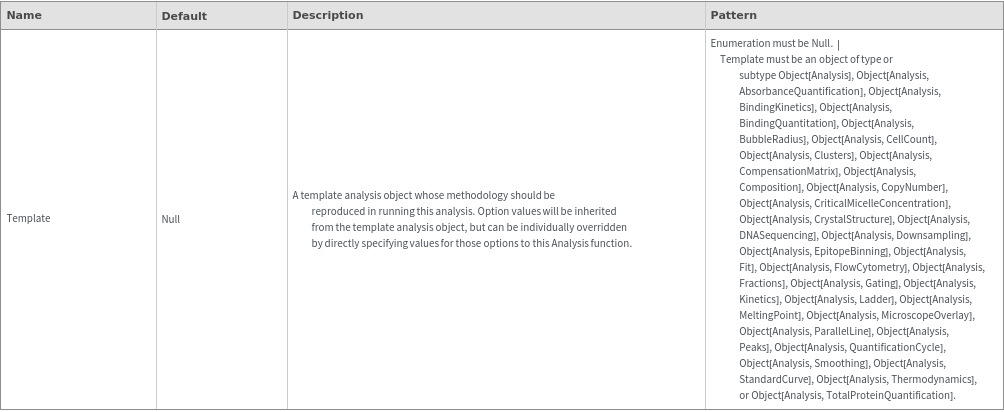
Use an existing analysis object as a template for a new analysis. The current analysis will inherit options from the template analysis:

If the template analysis object used subclustering analysis, subclustering options will be inherited and the subclustering analysis tree will be regenerated:

Messages  (5)

CompensationMatrixNotFound  (1)

Warning is shown if parent protocol of input data object has compensation samples but no compensation matrix analyses:

DuplicateClusterLabels  (1)

All cluster labels must be unique:

InvalidActiveSubcluster  (1)

When specified, the ActiveSubcluster must correspond to a vertex in the ClusterAnalysisTree (i.e. any cluster label in subcluster analyses). Use the interactive preview app to generate values for this option:

InvalidClusterTree  (1)

When specified, ClusterAnalysisTree must be a tree graph for which the vertex weights are Object[Analysis, Clusters] packets. Analysis will fail if these conditions are not met. Use the interactive preview app to generate values for this option:

NoDataInChannel  (1)

Clustered dimensions will be ignored if specification corresponds to a detector for which there is no data in the input object:
















































