
ReadyCheck
ReadyCheck[protocol]⟹association
determines if it is safe to run a protocol by checking the status of the protocol and it's dependencies including the availability of the instrument and sample resources that will be needed and the status of any troubleshooting tickets relevant to the protocol.
Details
- Determines if the resources required for a procedure are available such that the procedure can be run.
- Identifies resources (instruments/samples) that will be required for a protocol by finding any remaining Rosetta tasks that require resources until the next processing stage or end of the procedure.
- ReadyCheck is only able to find required resources from all branch procedures when the logic behind branching uses fields with populated values.
- Similarly, ReadyCheck cannot find required resources from subprotocols that have yet to be created or started. ReadyCheck must be called explicitly on subprotocols before their readiness can be verified.
- Output Association Key-Value Pairs:
-
Key NameDescription
Protocol The given protocol. Ready True if all resources are available and the status of the protocol is one that can be continued. ProtocolStatus The current OperationStatus/ProtocolStatus for the given protocol. ValidObject The result from running ValidObjectQ on the protocol. Blocked Indicates if the protocol object is currently blocked by an unresolved troubleshooting ticket. Blockers Any tickets that are currently blocking the protocol. Suspended Indicates if the protocol type is currently suspended by a troubleshooting ticket. Suspenders Any tickets that are currently suspending the protocol type. Checkpoint The current checkpoint for the given protocol. CheckpointProgress The current state of checkpoints for the given protocol. CheckpointEstimates The estimated checkpoints for the given protocol. CurrentOperator The operator currently executing the protocol (or Null if no-one). CurrentOperatorName The name of the operator currently executing the protocol (or Null if no-one). InstrumentsAvailable Indicates if all required instruments are available. Instruments Stores a list of associations describing the availability of each required instrument. ItemsAvailable Indicates if all required items/parts are available. Items Stores a list of associations describing the availability of each required item/part. SamplesAvailable Indicates if all required samples are available. Samples Stores a list of associations describing the availability of each required sample. ObjectsInUse Stores a list of the objects that are currently being used by this protocol. Dependencies A list of protocols that must be completed before the protocol can start. CurrentInstrument The instrument whose status is set to InUse by the protocol. CurrentInstrumentName The name of the CurrentInstrument. LastInstrument The instrument whose status was last set to InUse by the protocol. LastInstrumentName The name of the LastInstrument. ActiveCart The cart on which the protocol's procedure is running. ActiveCartName The name of the ActiveCart. LastCart The cart on which the protocol's procedure was previously running. LastCartName The name of the LastCart. LastOperator The operator previously executing the protocol (or Null if no-one). LastOperatorName The name of the LastOperator. TimeInQueue Amount of time the protocol has been ready to start. PickUpTime The next date at which the protocol should be picked up from processing. DateConfirmed The date the protocol was confirmed. - Resources stores a list of associations describing the availability of each required resource.
- In each association, the Object key stores the object required and Availability key stores its availability.
- Sample/Container/Part request availabilities can be one of the following:
-
Key NameDescription
Available Indicates that the resource request can be fulfilled. OutOfStock Indicates that a resource request has no fulfilling samples in the lab. Discarded Indicates that the requested object is discarded. InUse Indicates that the requested object is in use by another protocol. Expired Indicates that the requested object is past its ExpirationDate. Preparation Indicates that the requested resource is currently being prepared by the protocol. - Instrument request availabilities can be one of the following:
-
Key NameDescription
Available Indicates that the instrument or an instance of the model instrument is available to use. InUse Indicates that the requested instrument is in use by another protocol. Unavailable Indicates that no instruments fulfilling a request are available
Input

Output

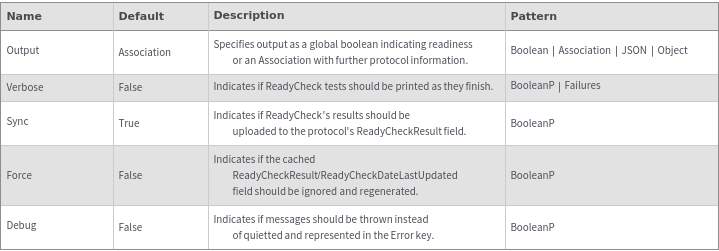
General Options
Examples
Basic Examples (4)
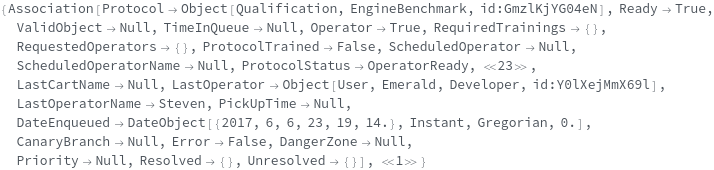
Gathers information about the state of a protocol and its resource requirements. A protocol is ready to be executed when Ready -> True:


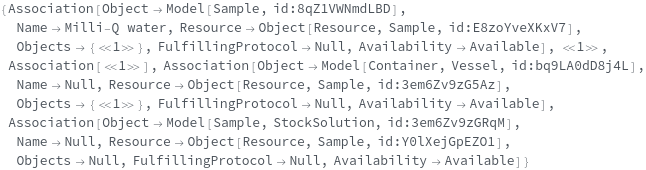
Populate Samples with information regarding the availablility of samples required for a procedure:

Populate Instruments with information regarding the availablility of instruments required for a procedure:


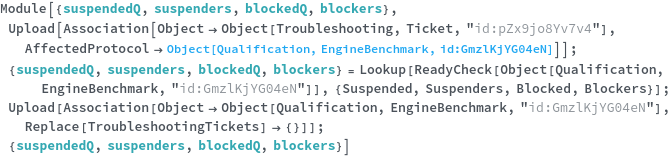
If an outstanding troubleshooting ticket has suspended the input's type, Suspended -> True and if the ticket's AffectedProtocol is the protocol, Blocked -> True and Blockers -> {ticket..},:

Additional Examples (12)
If all Samples and Instruments are Available, Ready -> True:



If a specific sample is required and it is expired but in-use Availability -> Available:
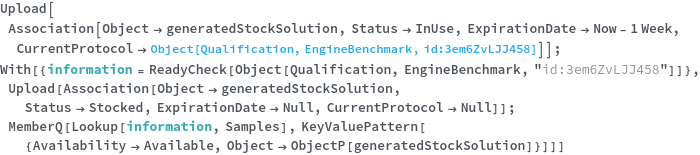

If a specific sample is requested by a resource and it is expired but Availability -> Available:

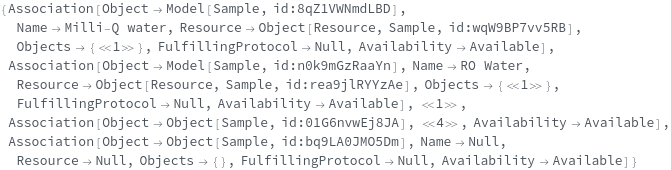
If a specific samples and instruments are required and they are already in-use by the protocol, Availability -> Available:
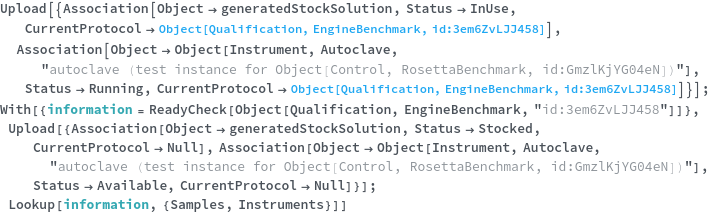
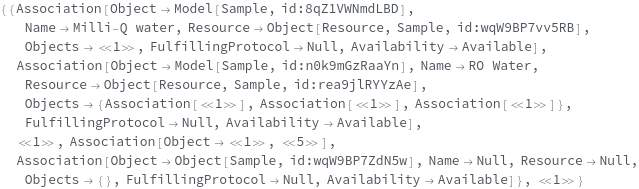
If Samples are unavailable but can be created or transferred, Availability -> Available:


For protocols that are running, checkpoint information populated in Checkpoint and CheckpointProgress keys:


If the protocol has an unresolved troubleshooting ticket, Ready -> False:


If no instances of a required instrument model are available, Ready -> False and InstrumentsAvailable -> False:


If no instances of a required model are available and cannot be made, Ready -> False, SamplesAvailable -> False, and Availability -> OutOfStock for the appropriate resources:

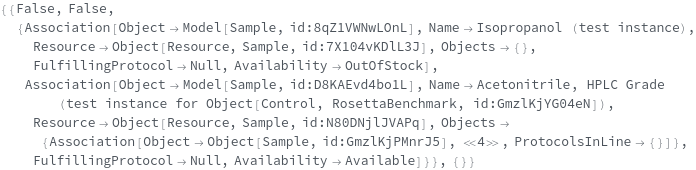
If a resource has only expired samples to pick, Ready -> False:


If a resource has only InUse samples to pick, Ready -> False and Availability -> OutOfStock for the appropriate samples:





