ecl-logo Documentation

UploadMedia

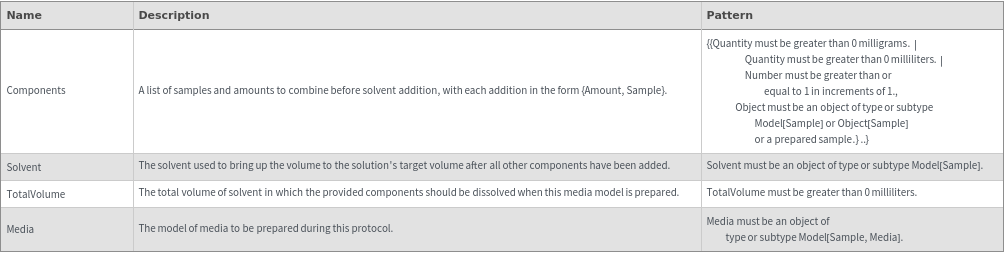
UploadMedia[Components,Solvent,TotalVolume]MediaModel

creates a new MediaModel for combining Components and using Solvent to fill to TotalVolume after initial component combination.

UploadMedia[Media]MediaModel

creates a new MediaModel based on the existing Media template.

Details

  • If an existing stock solution model is found that matches all of the parameters specified for the new stock solution model, the existing model is returned in a simplified packet.
  • However if a Name is explicitly provided, a new stock solution model will ALWAYS be uploaded.
  • Media models generated with this function may be then prepared via ExperimentMedia.
  • ExperimentMedia also has an overload that directly calls this function.
  • Components will be combined in the following order:     1.) All solids are combined first in the provided order     2.) All liquids will be added in the provided order, except for acids and bases     3.) (optional): Fill-to-volume additions will be made to the provided total volume     4.) All liquids that are acids and bases will be added last.
  • Input
    Output
    Autoclaving Options
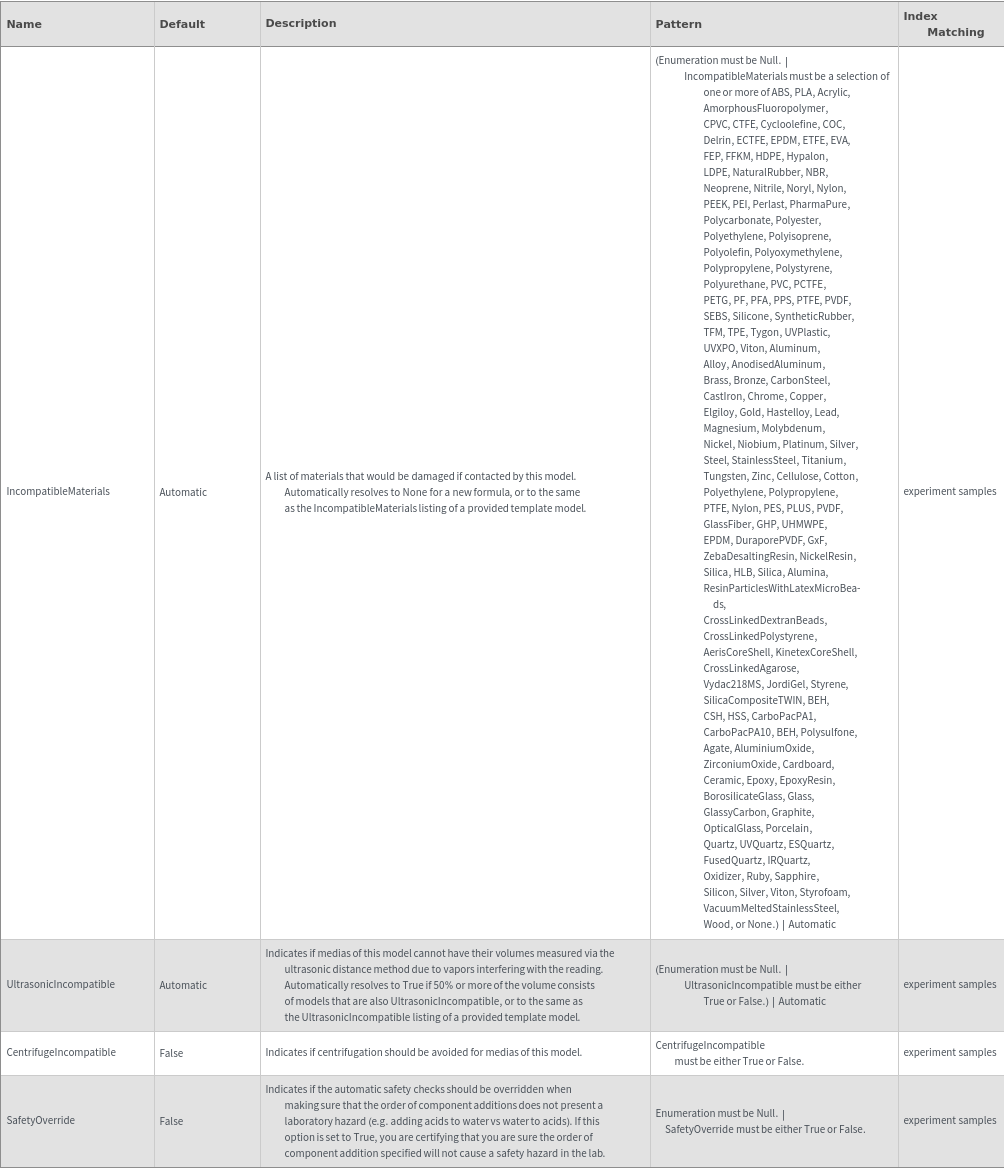
    Compatibility Options
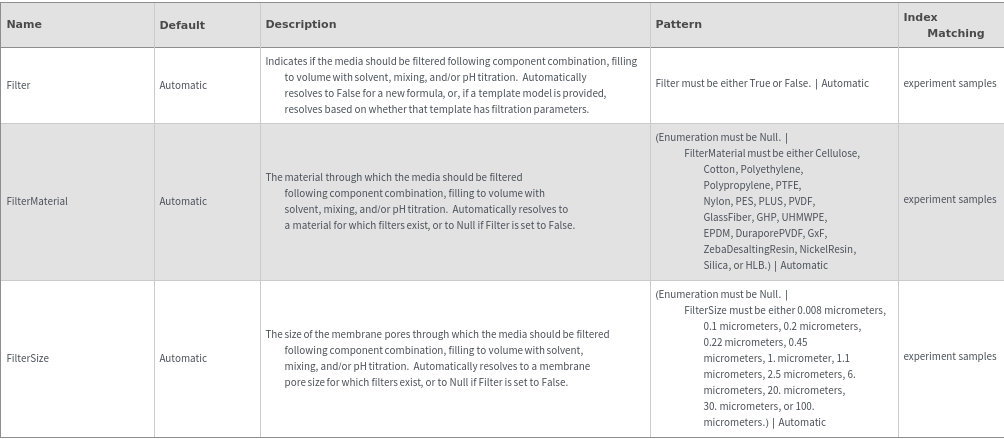
    Filtration Options
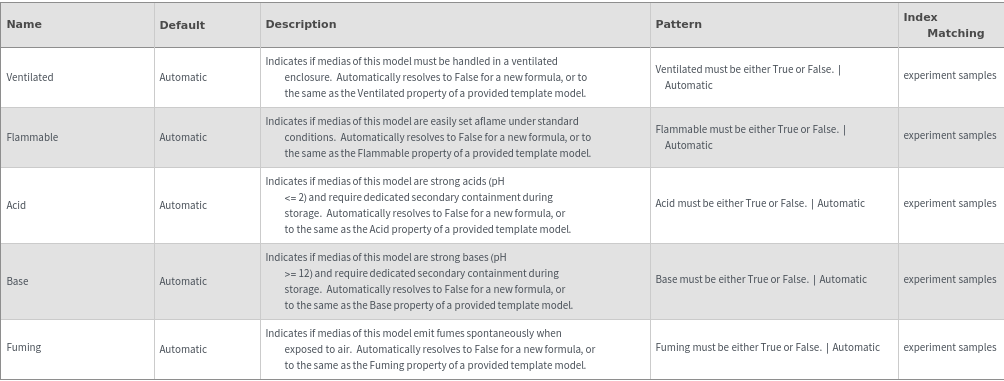
    Health & Safety Options
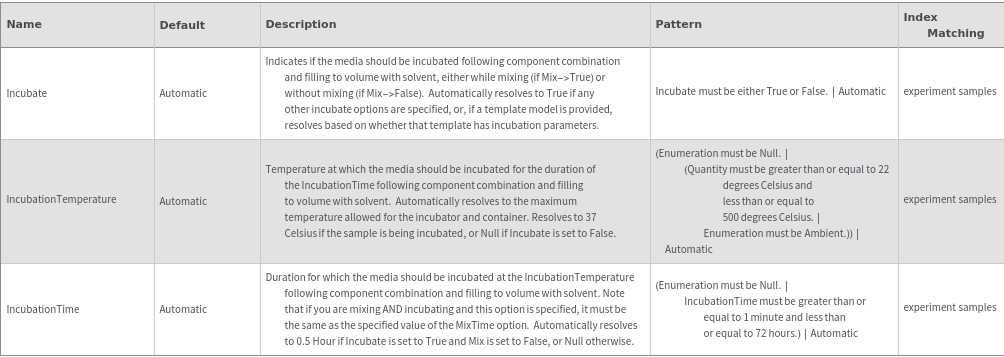
    Incubation Options
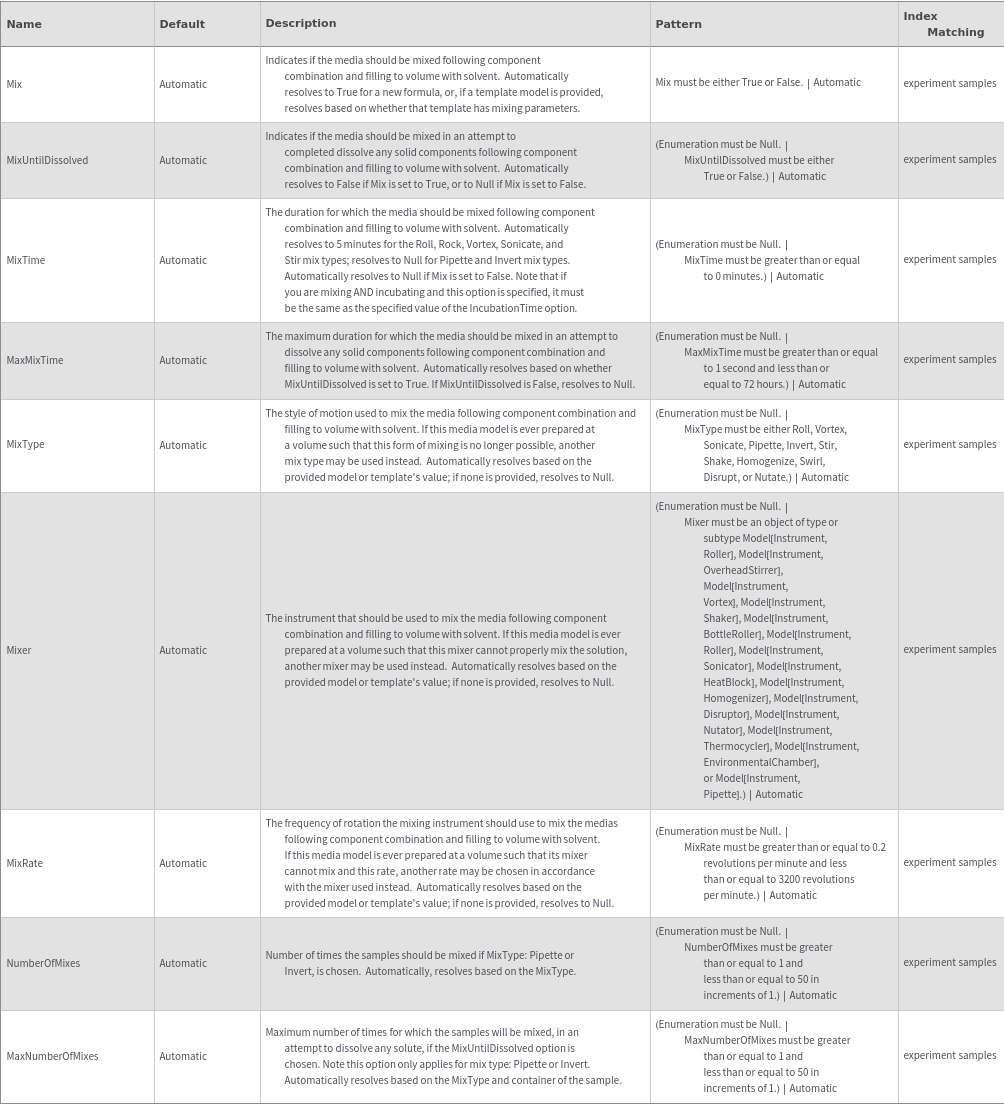
    Mixing Options
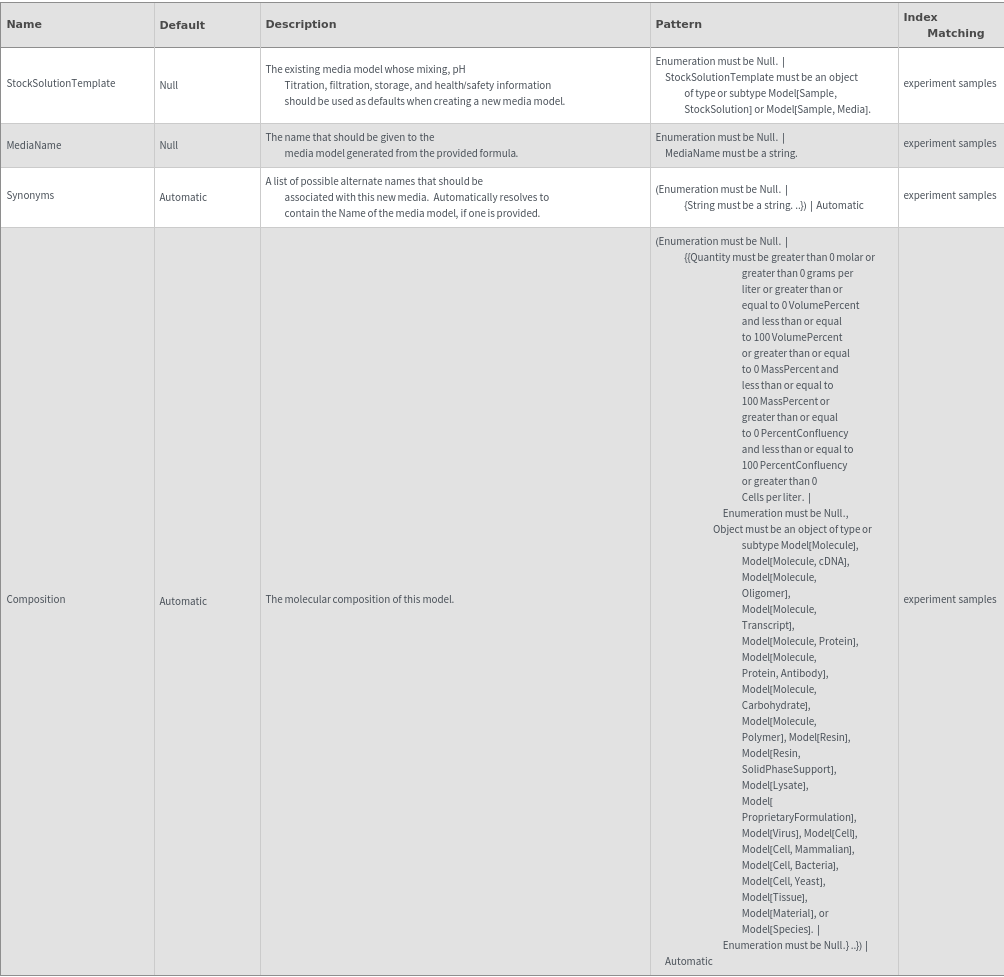
    Organizational Information Options
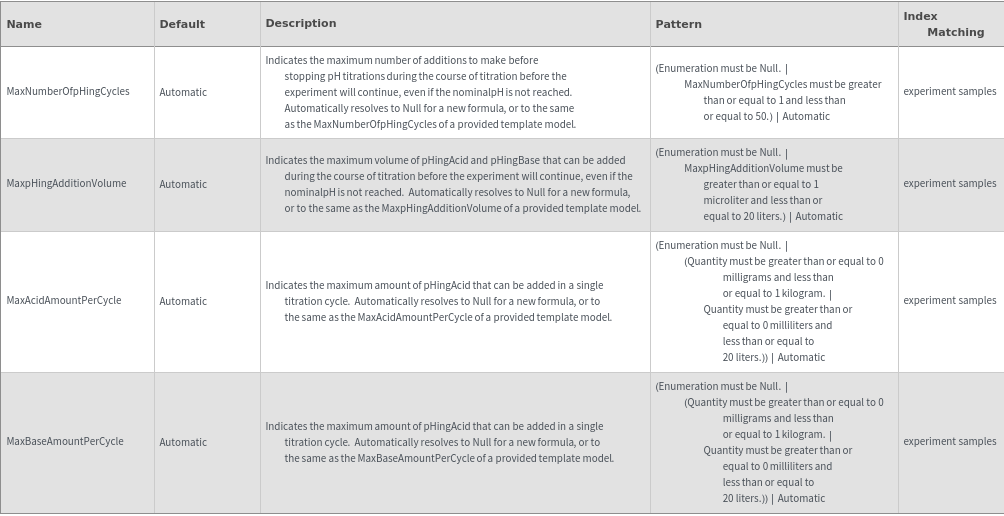
    pHing Limits Options
    pH Titration Options
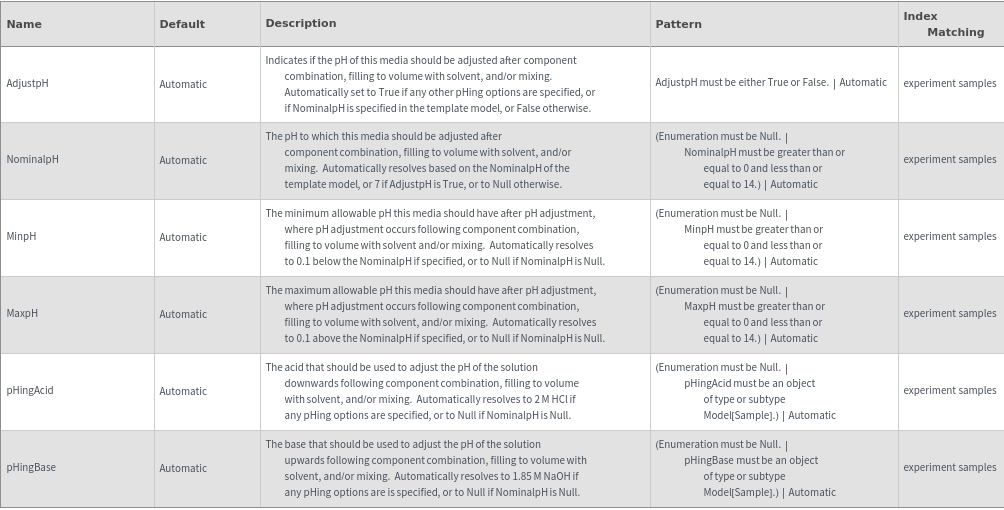
    Physical Properties Options

    Preparation Options

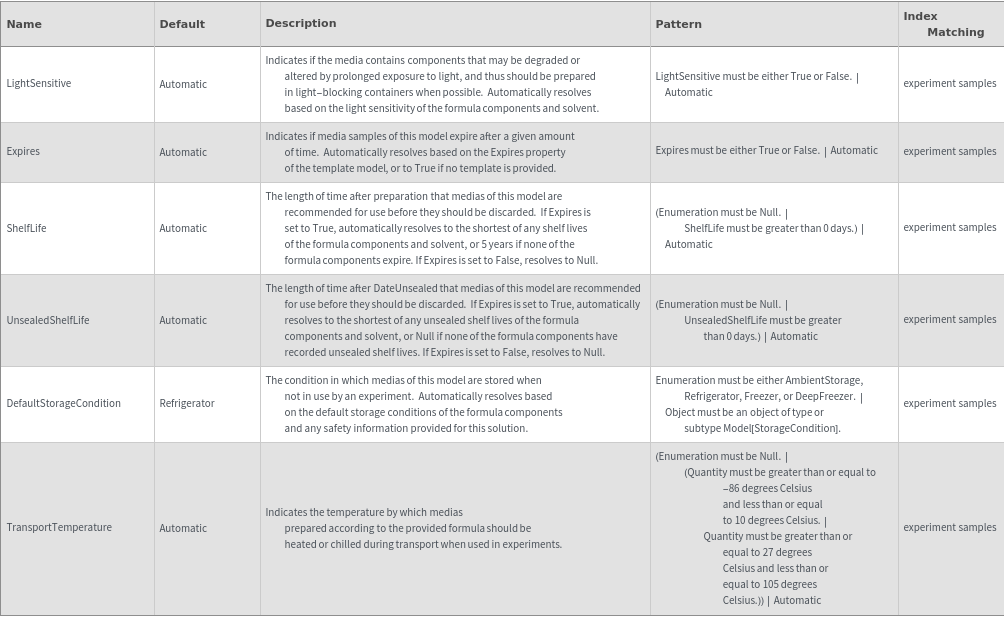
    Preparation Information Options
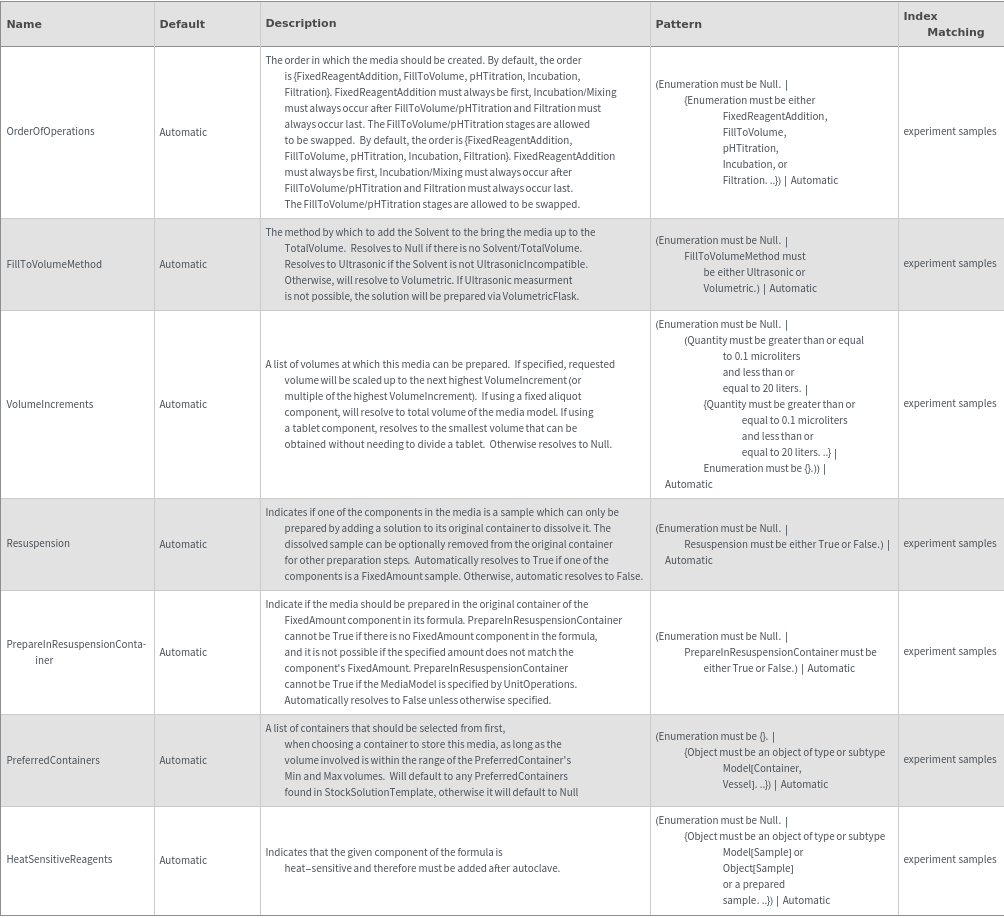
    Storage Information Options
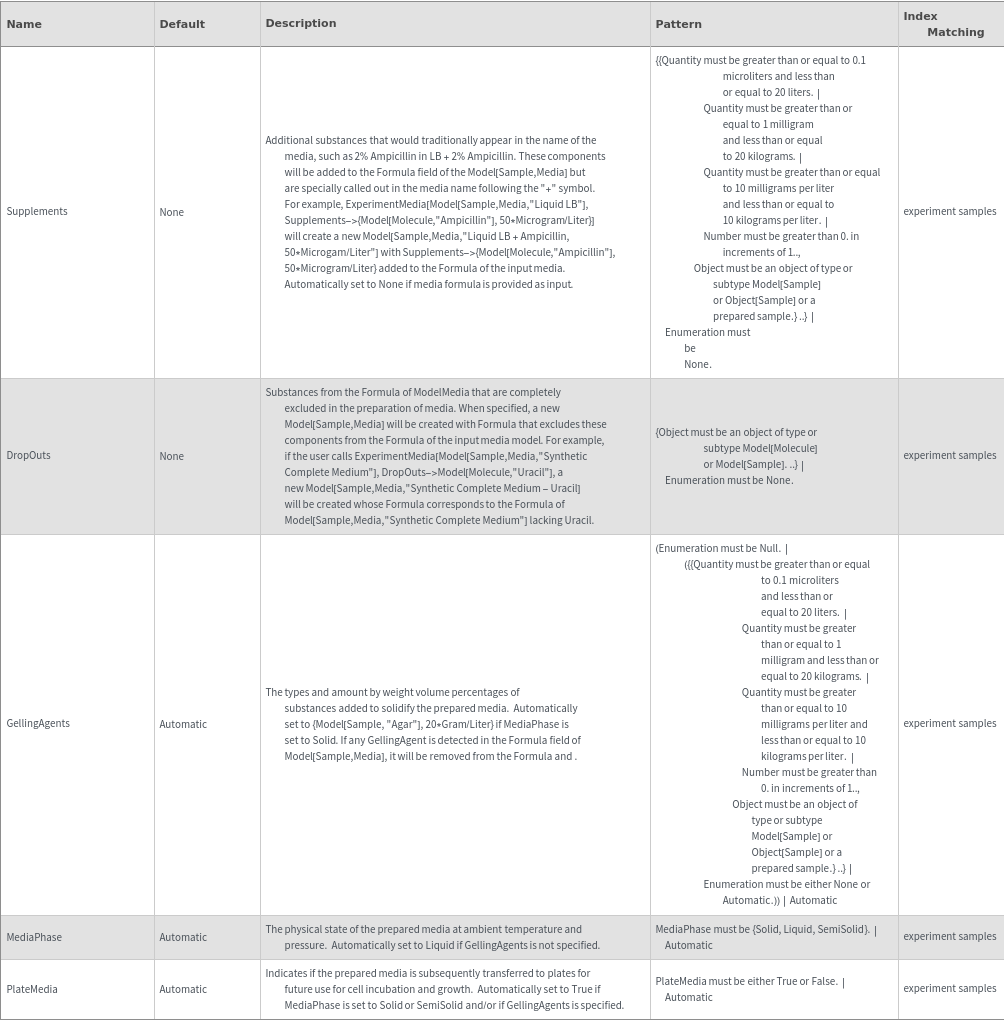
    General Options
Examples

Example Setup

These expressions are used in the examples to follow:

Basic Examples  (1)

Create a model for 1L of liquid LB media:

Options  (8)

AdjustpH  (3)

Specify whether to adjust the pH following component combination and mixing; if AdjustpH->True and NominalpH is not specified, it is automatically set to 7:

Specify whether to adjust the pH following component combination and mixing; if AdjustpH->True and NominalpH is not specified, it is automatically set to 7:

Specify whether to adjust the pH following component combination and mixing; if AdjustpH->True and NominalpH is not specified, it is automatically set to 7:

DropOuts  (1)

Specify substances from the Formula of ModelMedia that are completely excluded in the preparation of the media:

GellingAgents  (1)

Specify the types and amounts of substances added to solidify the prepared media:

Resuspension  (1)

Use Resuspension option to indicate if the stock solution has a fixed amount component that should be resuspended in its original container first:

StockSolutionTemplate  (1)

Use preparation defaults from an existing solution for a different formula:

Supplements  (1)

Specify additional substances that would traditionally appear in the name of the media, such as 2% Ampicillin in LB + 2% Ampicillin:

Messages  (6)

DropOutInGellingAgents  (1)

Throw an error if an identity model specified for the DropOuts option is also present in a component specified for the GellingAgents option:

DropOutInSupplements  (1)

Throw an error if an identity model specified for the DropOuts option is also present in a component specified for the Supplements option:

DropOutsForMediaFormula  (1)

Throw an error if a user specifies the DropOuts option when creating a new media model with a formula:

RedundantGellingAgents  (1)

Throw a warning if a component specified for the GellingAgents option is already present in the template media model, explaining that a new media model will be created with the same formula and the specified gelling agent in excess of the specified amount:

RedundantSupplements  (1)

Throw a warning if a component specified for the Supplements option is already present in the formula of the template media model:

SupplementsForMediaFormula  (1)

Throw an error if a user specifies the Supplements option when creating a new media model with a formula:

Last modified on Tue 23 Jul 2024 10:55:51